
One configuration contract
Clients share the native INI and qeli:// parser. The panel validates changes before saving, detects stale revisions and preserves working settings when an operation fails.
Connect computers, phones, routers, home networks and remote sites through one secure tunnel.
self-hosted You select and administer the server; Qeli provides the protocol, service, and clients.
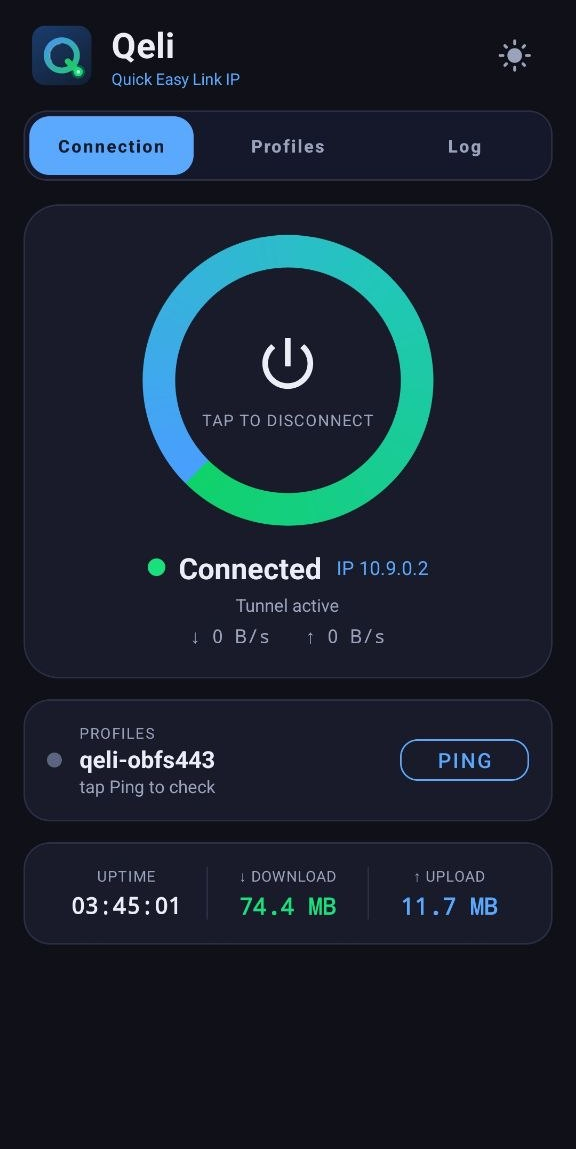
A substantial reliability update: shared validation for INI and connection links, more predictable network-state recovery and a revised management panel. Linux gains manual IPv6 management and a configurable TUN queue.
Clients share the native INI and qeli:// parser. The panel validates changes before saving, detects stale revisions and preserves working settings when an operation fails.
Routes, DNS and firewall rules are installed and removed with resource ownership tracking. Incomplete cleanup remains a visible error; recovery attempts can be cancelled.
Manual mode leaves IPv6 forwarding and firewall policy to the administrator. Qeli manages the tunnel, addresses and optional session-aware NDP proxy. This mode does not require ip6tables.
Linux-owned TUN queue length is configurable through tun.tx_queue_len. UDP processing, connection shutdown, profile storage and diagnostics are revised; install each new app with its bundled native core.
0.8.2 is a released beta, not a stable release. The set contains 15 delivery files and SHA256SUMS. The detailed release overview covers changes, upgrading, separate Linux measurements and validation limits. The 0.8.0 comparison charts below are unchanged.
An ordinary commercial VPN routes your traffic through someone else's servers. Qeli is built for those who want to keep privacy and the whole infrastructure under their own control — on their own server.
Off-the-shelf commercial VPNs route all your traffic through someone else's servers — you don't know who owns the infrastructure, whether logs are kept, or who they're shared with. Your credentials, history and metadata end up with a third-party service.
Qeli runs on your own server: keys, traffic and logs stay with you, with no middlemen and no subscriptions. Modern cryptography (X25519, ChaCha20-Poly1305), metadata privacy, and in reality-tls mode — genuine TLS 1.3.
Qeli carries IP packets through a L3 TUN. VLESS and Shadowsocks relay streams and datagrams through a proxy; clients built on Xray and other cores can cover the whole device using TUN or transparent redirection. The difference is architecture and route configuration, not a requirement to configure every application.
First, the architecture: what Qeli is built from and why it's self-contained. Then, what it does for your security and connection stability.
Several transport modes are built into the protocol itself, no third-party tools needed. The flagship one is reality-tls (real TLS 1.3); the rest switch with a single setting.
TCP, UDP and REALITY at once in a single service — each with its own key, its own users and separate access.
Tunnel keys are derived from a hybrid of X25519 + ML-KEM-768 (post-quantum) — the key exchange is designed to resist a future quantum computer under current cryptographic assumptions. Used in every mode except plain. ChaCha20-Poly1305 encryption, no exposed counter in packets.
Full control from the browser: all profile settings, users, routes and server-key rotation — no SSH or file editing. Built-in HTTPS and an IP allowlist let you expose the panel safely without nginx; connection links and QR codes, a Russian/English interface.
The L3 tunnel carries IP packets, providing access to the LAN behind the server and connecting subnets across sites. Connectivity requires matching forward and return routes and firewall rules that allow the traffic.
Network-joining scenarios →The mode determines the traffic shape and is configured by a matching pair of profile and client settings. The installer deploys reality-tls by default; the built-in config default is fake-tls. Other modes suit trusted networks, compatibility and fallback channels.
Qeli's flagship mode: the client sends a browser TLS 1.3 handshake (JA4 fingerprint t13d1516h2_8daaf6152771), and the server terminates real TLS 1.3 (realtls), carrying the tunnel inside. On the wire this is genuine TLS 1.3, not a mimicry; inside it carries the qeli tunnel, while trust rests on the pinned server key. It works on Linux, Android, iOS, Windows and macOS through the shared realtls engine.
ClientHello (Chrome JA4) → TLS 1.3 (realtls)
encrypted flight → tunnel inside real TLS
Four transport profiles, IPv4 and IPv6, upload and download. Both endpoints used the packaged Linux 0.8.2 binary, required Recordizer and 2 vCPU / 2 GiB of memory each.
Each IPv4/IPv6 upload/download result is the median of three runs; the figure is their mean. It describes TCP FakeTLS, not the average speed of every Qeli mode.
All 48 windows at an offered UDP load of 600 Mbps recorded no receiver packet loss or TUN drops. The test covered four profiles, both IP families and both directions.
This checks a fixed load, not maximum throughput. Unrestricted TCP retained retransmissions and TUN drops; separate UDP tests at 900/950 Mbps recorded small end-to-end losses.
The comparison with other VPNs was run separately on Qeli 0.8.0 and remains on the Technology page. TCP P=1 and P=4 results are not used to calculate gains between releases.
This is lab throughput, not a speed promise for every VPS. A real connection depends on routing, CPU, provider, loss and the selected transport.
0.8.2 measurements and methodology →Do not choose a transport mode by the longest benchmark bar alone. Throughput, masking level and the behavior of the actual network all matter.
Compare profiles within the same class. TCP and UDP are measured differently and target different network conditions.
Unmasked modes reveal the testbed ceiling but are not direct competitors to modes that reshape the connection's external profile.
Loss, mobile NAT, UDP availability and Wi-Fi/cellular changes can matter more than peak laboratory throughput.
The full technical breakdown: the handshake, all six transport modes, cryptography, measured benchmarks and the comparison matrix.
Every client is wire-compatible with the server and sends the same real TLS 1.3 (reality-tls) through the shared realtls engine. A link or QR code carries the connection parameters (server, mode, key) in one tap; local settings — routes, DNS, MTU, kill-switch — are configured in the client itself.
Rust
C# · Avalonia · .NET 10
C# · .NET
Kotlin
Swift
Rust · KeeneticOS
Rust · procd / UCI / LuCI
All the code is open — the protocol, server and clients for Linux, Windows, macOS, Android, iOS and routers. Study it, build it yourself, report issues and suggest improvements.
A full self-host VPN with its own network protocol and private transport — HTTPS, WebSocket, QUIC-shaped UDP and reality-tls.
$ git clone https://github.com/litvinovtd/qeli.git